The email inbox built for AI agents.The email inbox built for AI agents.
An address of its own, so your agent can sign up for services, talk to people and institutions, and read email the way you do.
Works where you work.
Designed for agents
from the ground up.
Email APIs were built to blast. OpenMail is built for the reply.
Instant Replies
Replies reach your agent over a webhook or WebSocket. Nothing polls.
Sender rules
Allow or block by address or domain, per account or per inbox. Noise never reaches your handler.
One inbox per agent
Each agent gets its own address, not a shared inbox or a forwarding rule.
LLM-ready attachments
PDFs, CSVs and images arrive as plain text, ready for a prompt. Your agent never sees a MIME type.
Pick how your agent handles email.
Set a mode when you add the OpenClaw channel with --mode. Switch anytime in channels.openmail.mode.
On demand
Sends and reads email only when you ask.
Alert on arrival
Pings you on new mail. You decide what happens.
Fully autonomous
Answers incoming mail on its own. No human in the loop.
Works with the agents you already use.
One command gives OpenClaw, Hermes or Claude Code an inbox. Or hit the REST API directly and take replies over WebSocket.
Read the Docs# Install the OpenMail channel plugin
openclaw plugins install clawhub:@openmail/openclaw
# Add the channel with a key from console.openmail.sh
# → picks or creates your inbox, stores an inbox-scoped key
openclaw channels add --channel openmail --api-key om_xxx --mailbox-name support
openclaw gateway restart
# Mail from people wakes the agent; it replies in-thread.
# --mode notify: agent tells you about new mail instead
# --mode tool: agent uses email only when asked
# The OpenMail CLI runs inside the gateway
openclaw openmail -- threads list --is-read false --jsonWhat your agents can do with inboxes.
Every agent is a potential inbox.
Sign in to Acme
Enter your email to continue
Sign in
Browser
Frequently asked questions.
@openmail/openclaw plugin and run openclaw channels add --channel openmail --api-key <key>. For Hermes, run hermes plugins install openmail --enable then hermes openmail setup. For other agents, install the CLI with npm install -g @openmail/cli and run openmail init to create your first inbox. See the quickstart for details.npm install -g @openmail/cli, run openmail init, and your agent has an inbox in under a minute. Or call POST /v1/inboxes and get a live address back.Writing
How an AI agent receives email and replies to it
How inbound email reaches an AI agent over a webhook or WebSocket, what the event contains, and how the agent replies in the same thread. Working code included.
How to give your AI agent its own email address
Four ways to give an AI agent an email address, compared. Why Gmail and transactional APIs break, and how to create a dedicated agent inbox with an API call.
The Gmail suspension wasn't the problem. The architecture was.
Gmail suspensions for AI agents aren't random. The automation patterns that cause them look identical to spam. Here's what you've actually lost, why recovery rarely works, and how to move to something built for agents.

OpenMail vs Nylas
Nylas connects to your users' existing inboxes. If your AI agent needs its own address, here's how Nylas Agent Accounts and OpenMail compare on limits, pricing, and code.
What Email Infrastructure for AI Agents Should Look Like
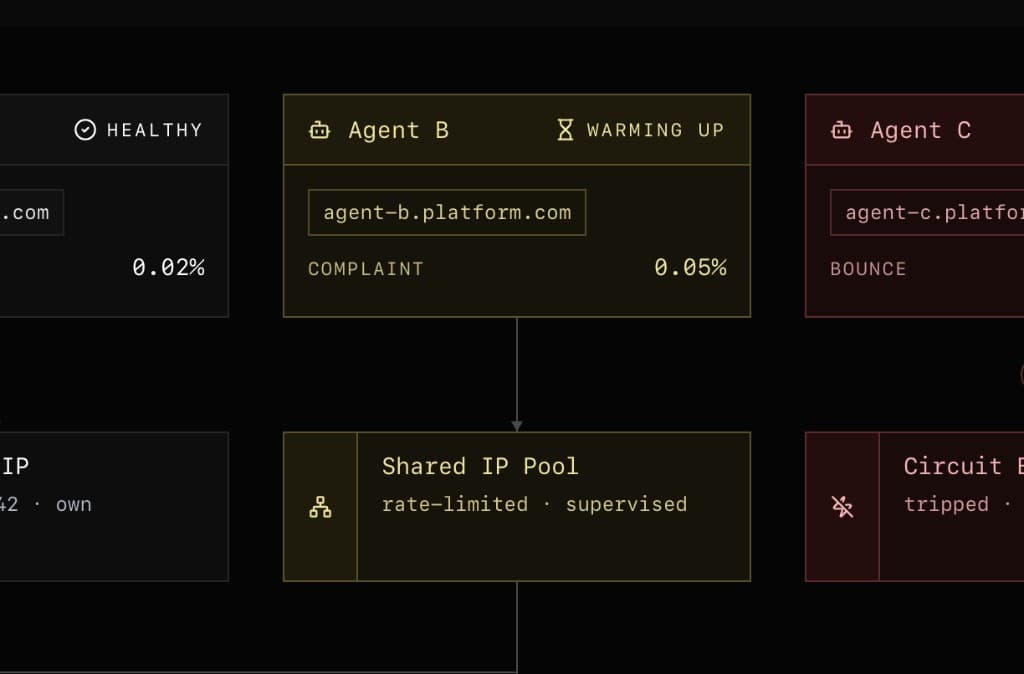
If you had to design email from scratch for AI agents, you wouldn't build Gmail. Here's what purpose-built infrastructure looks like — inbox-as-API, real-time delivery, threading, MIME parsing and IP warming/routing.
Best email API for AI agents in 2026
Eight email APIs compared on receiving, threading, per-agent inboxes, reputation isolation, EU data residency and price. We run one of them, so we put ourselves first and tell you why.


OpenMail vs Mailgun vs Amazon SES
Mailgun sends. SES is cheap. Neither was built for agents that receive, thread, and parse attachments. Here’s what’s actually different between all three.

Why Every Email Option Falls Short for AI Agents
Gmail bans agents. Proton has no API. Outlook is a maze. Resend can't receive. A look at why every email option falls short for AI agents and what the risks are.

How to Give OpenClaw Its Own Email Address
One ClawHub command gives your OpenClaw agent a dedicated inbox with real-time delivery. Choose a usage mode — tool, notify, or channel — and you're done.
We're EU-Based. That's Not a Footnote — It's the Point.
OpenMail is built in the EU, runs in the EU, and every customer is covered by GDPR — not as a checkbox, but as a legal guarantee.
This Is Not for Human Eyes
We noticed that AI agents were finding OpenMail before we'd fully built for them. Here's what we saw — and what we built next.
Every AI agent deserves its own inbox.
Plugin or CLI, you're sending in minutes.
No credit card required · Cancel anytime